
Precision defines your reputation. Complexity shouldn't dictate your output. The WinOLS hex editor is a formidable tool that frequently slows down even the most seasoned calibrators. You know that manual map searching is a drain on your most valuable resource: time. The fear of an incorrect checksum calculation or a misidentified axis can stall a project indefinitely. It's a common bottleneck in a high-performance environment.
Master the WinOLS ecosystem with expert guidance on map data and professional calibration workflows. Learn to integrate a high-end WinOLS tuning file service to eliminate manual errors, increase daily throughput, and scale your operations. This guide explores the transition to the 64-bit architecture of version 5.91, details project management strategies, and explains how to organise a faster workshop workflow. Move from raw data, refine your process, and deliver performance with absolute confidence.
Key Takeaways
- Understand WinOLS as the industry benchmark for binary editing. Navigate EPROM data, control management systems, and achieve technical precision.
- Decode the ECU's DNA through hexdump analysis. Visualise data, identify maps, and interpret 3D graphical views with expert accuracy.
- Optimise workshop output via a professional WinOLS tuning file service. Compare manual editing with Remap Builder automation to scale your business efficiency.
- Secure every calibration with robust project management. Execute checksum corrections, maintain ECU stability, and eliminate software conflicts before execution.
- Access over 6,700 proven recipes through Remap Builder. Deploy performance tunes, reduce manual labour, and accelerate your workshop workflow.
Understanding WinOLS: The Industry Standard for ECU Calibration
WinOLS is the definitive tool for professional recalibration. Developed by EVC Electronic, it functions as a highly sophisticated binary editor. It doesn't just "tune" cars; it manages, modifies, and interprets the EPROM data found within the Engine Control Unit (ECU). Whilst entry-level software relies on simplified interfaces and restrictive sliders, WinOLS provides unrestricted access to the raw hexdump. This transparency is vital. It allows for precise adjustments to fuelling, ignition timing, and boost pressure. Relying on a professional WinOLS tuning file service ensures that this complexity remains an asset rather than a liability. It bridges the gap between raw data and high-performance results. Precision is non-negotiable in this field.
Why WinOLS Dominates the Professional Market
Adaptability defines the platform. It handles legacy Bosch systems and modern MD1/MG1 controllers with equal efficiency. Professionals choose it for three primary reasons: total control, custom map pack creation, and OLSX file integration. You can define your own maps, export unique project structures, and leverage a global network of technical data. This isn't a closed ecosystem. It’s a modular workspace designed for growth. It scales with your workshop, supports complex Stage 3 builds, and maintains technical integrity across every project. It's the difference between guessing and knowing.
The Core Components of the WinOLS Interface
Efficiency relies on structure. WinOLS uses a project-based architecture to organise vehicle data. Every project begins with the Original (ORI) file, serving as the immutable baseline for all modifications. The Modified (MOD) file contains your specific calibration changes. This distinction prevents data corruption and ensures a clear path for version control. An integrated database stores this history automatically. Search by vehicle, filter by hardware ID, and retrieve past projects in seconds. It eliminates manual file searching. It streamlines your workflow. It secures your intellectual property.
Handling raw data requires a specific mindset. You aren't just clicking buttons; you are rewriting the engine's operational logic. Professional support through a WinOLS tuning file service provides the safety net required for modern, high-security ECUs. It allows you to focus on the mechanical delivery whilst the software handles the mathematical precision. Stay accurate. Stay fast. Stay profitable.
Technical Core: Hexdump Analysis and Map Search Functionality
The hexdump is the engine control unit’s raw DNA. It is a dense, hexadecimal representation of every instruction and limit the engine follows. Data doesn't lie. Precision matters. Professional calibration requires more than just changing numbers; it demands an understanding of how these values interact. During the ECU calibration process, WinOLS serves as the primary lens through which this data is viewed. It translates binary strings into recognisable patterns. This allows a tuner to locate fuel maps, boost limiters, and ignition timing tables without a secondary interface. Even when utilising a WinOLS tuning file service for rapid throughput, the ability to verify these patterns manually is what separates an expert from a hobbyist. Automation provides speed. Manual analysis ensures safety.
Pattern recognition is the foundation of high-end tuning. You look for specific data structures that repeat across different ECU generations. A Bosch EDC17 and a Magneti Marelli 8GMK look different, but the underlying logic of lookup tables remains consistent. Identifying these tables manually allows you to verify that an automated change hasn't corrupted an adjacent axis. It’s about technical integrity. It's about protecting the hardware.
Navigating the 2D and 3D Map Views
The 2D view is your primary tool for discovery. It visualises the hexdump as a continuous line where characteristic curves indicate map structures. You look for the peaks and valleys that signify axis data or lookup tables. Once identified, the 3D view becomes essential. It provides a topographical map of the calibration. Here, you check for spikes or holes that could cause erratic engine behaviour. Visual tuning ensures that every transition is smooth. It maintains mechanical safety margins. It prevents component stress. It delivers a professional result.
The Role of Damos and ASAP2 Files
Damos files are the internal cheat sheets used by factory engineers. They contain the names, addresses, and conversion factors for every single map within the ECU. Without them, identifying a specific torque limiter amongst thousands of potential maps is a manual, time-consuming task. Relying on a WinOLS tuning file service that integrates Damos-level precision ensures your workshop delivers factory-standard results every time. These files allow for surgical precision. They remove the guesswork. They define your professional standard. Sourcing high-quality Damos data is difficult, but it's the only way to achieve true mastery of the calibration.
Efficiency in a modern workshop means balancing this technical depth with rapid deployment. If you need to scale your output without sacrificing this level of detail, consider exploring Remap Builder Access for a more streamlined approach to project management.
The Evolution of Calibration: Manual WinOLS vs AI Remap Builders
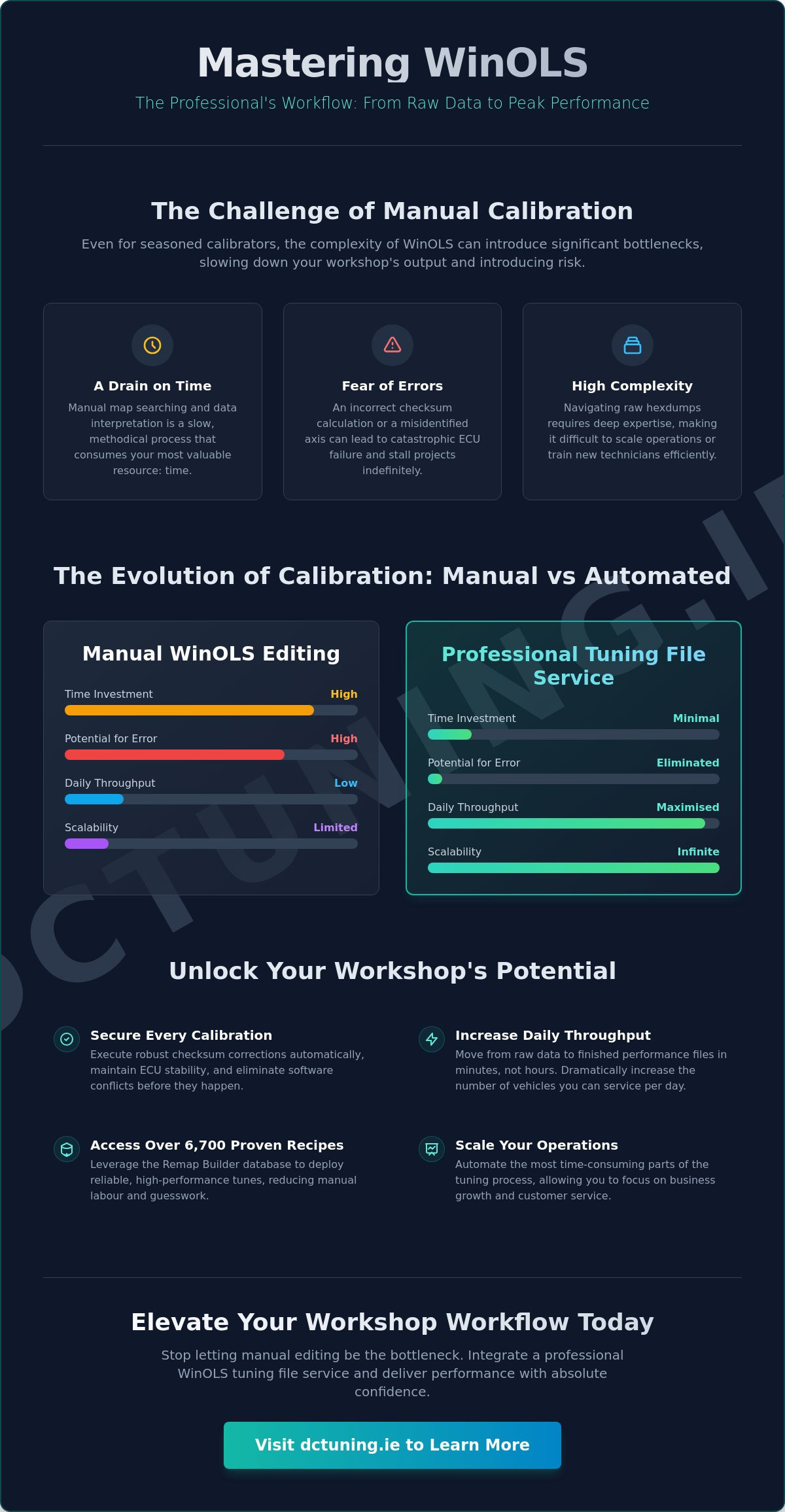
Efficiency is the primary metric for a profitable workshop. The most common objection to WinOLS is its perceived lack of speed. Traditionalists argue that manual hex editing is too slow for a high-volume environment. Modernists claim that automation is the only way to scale. Both are partially correct. The industry is moving away from purely manual entry toward a hybrid model. Relying on a professional WinOLS tuning file service allows you to leverage pre-built technical data whilst maintaining the ability to verify every byte. You get the speed of automation with the security of manual oversight.
AI assistants now identify map patterns faster than any human eye. They scan millions of hex strings to find torque limiters, fuel pressure maps, and lambda tables in milliseconds. However, blind automation is dangerous. A "black box" approach leads to mechanical failure. The most successful tuners use AI to build the foundation of a project but return to the WinOLS interface for final verification. This ensures that the calibration respects hardware limits and specific vehicle conditions. It is about technical authority. It is about accountability.
Streamlining with Remap Recipes
Recipes are proven calibration frameworks. They act as a blueprint for specific engine and ECU combinations. Using a stage 1 remap recipe reduces the risk of manual entry errors significantly. You aren't starting from a blank hexdump every time. Instead, you apply a verified set of changes that have been tested on identical hardware. This approach balances the need for rapid deployment with the necessity of bespoke customisation. It optimises your throughput. It protects your reputation.
The Rise of the AI Tuning Copilot
Think of AI as a copilot, not a replacement. AI tools excel at finding specific limiters amongst thousands of potential maps. This saves hours of manual searching. It allows your workshop to maintain consistent quality across a diverse range of vehicles. Whether you are tuning a common TDI or a complex petrol turbo, the AI provides a starting point that is 90% complete. The human expert remains the final authority. You check the axes. You verify the checksums. You sign off on the file. This workflow turns a WinOLS tuning file service into a powerful engine for workshop growth.
Professional Workflow: Managing Projects and Checksum Corrections Safely
Structure dictates success. A disorganised workshop is a liability. Managing multiple tuning projects requires a methodical approach to data handling and version control. When you integrate a WinOLS tuning file service into your daily operations, you aren't just buying a file; you are adopting a rigorous technical standard. This workflow ensures that every modification is tracked, every original state is preserved, and every flash is secure. Precision hardware, such as an Alientech tuning file service Ireland solution, provides the physical interface, but WinOLS remains the brain of the operation. Control the data. Protect the vehicle. Deliver the result.
Version control is the backbone of a professional environment. You must be able to revert to any previous state within seconds. WinOLS facilitates this through its project-based architecture, allowing you to store multiple versions of a MOD file under a single ORI baseline. This prevents the confusion of scattered files and naming inconsistencies. It protects your reputation. It ensures technical accountability.
Five Steps to a Professional Project Build
- Step 1: Read and archive the original file. Capture full vehicle metadata, including VIN, software version, and hardware ID. Store this in a secure, redundant database.
- Step 2: Import the ORI into WinOLS. Identify the correct checksum module immediately. Without this, the project cannot proceed safely.
- Step 3: Apply calibration changes. Import a verified remap recipe or perform manual edits based on specific hardware requirements.
- Step 4: Verify the modified file. Use the 3D view to check for data spikes or axis inconsistencies. Ensure all changes remain within safe mechanical margins.
- Step 5: Export and flash. Maintain a clear backup of the original state at all times. Verify successful communication before concluding the session.
Understanding Checksum Modules
A checksum is a mathematical verification of data integrity. It is a digital signature that confirms the ECU software hasn't been corrupted. If the data is modified without updating this signature, the ECU will detect a mismatch. This leads to a "no-start" condition or a bricked unit. It is the most common cause of workshop downtime. WinOLS handles these calculations automatically through dedicated checksum plugins. These modules detect the specific algorithm used by the manufacturer and apply the correction upon export. It is a critical safety net. Never attempt to flash a file without confirmed checksum validity. It isn't worth the risk.
Reliable project management is the foundation of a high-growth workshop. If you are ready to implement these professional standards today, access our professional tuning services to secure your workflow.
DCTuning WinOLS Support: Elevating Your Workshop Workflow
Efficiency is the ultimate competitive advantage. DCTuning provides a comprehensive ecosystem designed for the modern calibration professional. By integrating our WinOLS tuning file service, you gain immediate access to a streamlined digital infrastructure. We eliminate the friction of manual map searching. We provide the technical depth required for complex projects. We deliver results that respect mechanical limits. Our platform features the Remap Builder, containing over 6,700 proven recipes for rapid deployment across a vast range of ECU generations. Scale your business. Minimise your downtime. Maximise your profit.
Technical support must be as fast as your hardware. We utilise J2534 PassThru integration to provide remote flashing support and real-time diagnostics. This allows our experts to assist with complex software conflicts directly, ensuring your workshop never stalls. It's a high-tech alliance built on transparency and reliability. You focus on the vehicle; we handle the data precision. This partnership turns technical challenges into streamlined successes.
Bespoke Files Built from Scratch
Generic solutions don't survive in a professional environment. We deliver bespoke files tailored to your specific tuning stage. Whether you require a Stage 1 Power Tune, a Stage 2 Performance Tune, or a comprehensive Stage 3 Track Build, our calibrations are built from the ground up within WinOLS. Our Ireland-based technical team provides direct support for complex diagnostics and fault finding. We don't just sell files; we provide a complete WinOLS tuning file service that acts as an extension of your own workshop expertise. Precision is our baseline. Reliability is our promise. Performance is our result.
Joining the Marketplace Revolution
Mastery should be profitable. The Verified Tuner Marketplace allows elite calibrators to list and sell their own high-quality maps and recipes. It's a marketplace built by tuners, for tuners. We maintain a high standard of technical integrity, which is reflected in our 92% retention rate for marketplace sellers. This platform allows you to monetise your intellectual property whilst helping other professionals optimise their workflow. Register as a provider today. Optimise your workshop efficiency. Lead the industry with a partner that understands the technical core of your craft. Move forward with confidence.
Optimise Your Workshop Calibration Strategy
Mastery of the WinOLS environment is the hallmark of a professional tuner. You've seen how hexdump analysis, automated remap recipes, and rigorous checksum verification create a secure workshop environment. Transitioning to a hybrid workflow allows you to maintain technical integrity whilst increasing your daily output. By utilising a professional WinOLS tuning file service, you eliminate the risks associated with manual entry errors and unverified data. It's about working smarter, not just harder.
Leverage our Remap Builder with over 6,700 proven recipes and access a verified marketplace designed for elite calibrators. Our expert Irish technical support is available to assist with complex diagnostics and bespoke Stage 3 builds. We provide the infrastructure; you provide the performance. Don't let technical complexity stall your growth. Partner with a platform that understands the DNA of engine control.
Register for professional WinOLS support and access our Remap Builder today to secure your competitive edge. Build with precision. Flash with confidence. Lead the market.
Frequently Asked Questions
What is the difference between WinOLS and other remapping software?
WinOLS is a raw binary editor designed for total EPROM data control. Unlike consumer-level software that uses restricted interfaces, it provides unrestricted access to the ECU hexdump. You identify maps manually or via Damos files. This allows for Stage 3 track builds and complex diagnostic modifications that simplified tools cannot handle. It is a professional instrument for those who prioritise technical precision over automated convenience.
Do I need to be a programmer to use WinOLS tuning support?
You don't need to be a software programmer, but you must understand engine management logic. WinOLS requires a grasp of hexadecimal and decimal data structures. Using a professional WinOLS tuning file service allows you to bypass the steep learning curve of map identification. It provides you with verified data whilst you focus on mechanical delivery and diagnostics. It scales your workshop without requiring years of binary study.
How do checksums work in WinOLS and why are they important?
A checksum is a digital signature that verifies the integrity of the ECU’s data. WinOLS uses specific plugins to calculate these values automatically upon file export. If the checksum is incorrect, the ECU will reject the file, often resulting in a non-start condition or a bricked unit. It is a critical safety protocol. Always ensure your software has the correct, updated module for the specific ECU hardware you are flashing.
Can I use WinOLS with an AlienTech KESS3 or Autotuner tool?
Yes, WinOLS is the editing environment whilst KESS3 or Autotuner serve as the physical read/write interfaces. You extract the original file using your hardware, import it into WinOLS for calibration, and then write the modified file back to the vehicle. This hardware-software synergy is the industry standard. It combines reliable data transfer, high-level binary editing, and professional results. Ensure your tool is in "master" mode to export open files for editing.
What is a Damos file and how does it help with ECU remapping?
A Damos file is a comprehensive map description file created by factory engineers. It contains the exact addresses, names, and conversion factors for every map within a specific software version. It eliminates the guesswork of manual map searching. By using a Damos, you can identify torque limiters, rail pressure tables, and boost maps with surgical accuracy. It is the foundation of high-quality, professional calibration.
How does the DCTuning Remap Builder integrate with WinOLS?
The Remap Builder serves as a rapid deployment layer for your WinOLS workflow. It provides over 6,700 proven recipes that you can use to generate a baseline calibration instantly. You then import this data into WinOLS for final verification or bespoke customisation. This integration allows you to scale your workshop throughput whilst maintaining the technical oversight of a professional binary editor. It combines automation with expert control.
Is it possible to recover a bricked ECU if a WinOLS edit goes wrong?
Recovery is often possible through "Boot" or "Bench" mode protocols, which bypass the standard OBD communication. These methods allow for a full restoration of the original firmware if a checksum error or interrupted flash occurs. However, prevention is the professional standard. Always maintain a full backup of the original ORI file and verify your checksums before attempting any write operation. Reliability depends on preparation.
What are the system requirements for running WinOLS in a professional workshop?
WinOLS 5.91 is a native 64-bit application and requires a 64-bit version of Windows 10 or 11. It benefits from high-speed RAM and a multi-core processor to handle large database searches and complex project management efficiently. A stable internet connection is also required for license verification and accessing a WinOLS tuning file service. Ensure your hardware meets these standards to maintain a low-friction, high-performance workshop environment.